
NEW: AI transcripts without captions
Free YouTube Transcript Generator
Paste a public YouTube link and turn the video into readable text from captions or AI audio transcription.
Get a YouTube transcript in three steps
Start with the public YouTube link. Transkripe checks captions first, then opens a clean transcript workspace you can read, search and reuse.
Paste a public YouTube link.
Transkripe loads transcript text from captions or AI audio transcription.
Copy the transcript, switch subtitle tracks when available or download a .txt file.
Workflow comparison
Manual YouTube transcript vs Transkripe workflow
See the difference between doing it by hand and using a faster transcript workflow.
Manual YouTube transcript
- 1Open the video on YouTube
- 2Find and open the transcript
- 3Copy and clean the text manually
- 4Search, format and save it yourself
Transkripe workflow
- 1Paste the YouTube link
- 2Get the transcript instantly
- 3Search, copy or export
- 4Keep working without extra cleanup
Less manual work. Faster access to the words you need.
A transcript workspace, not a text wall
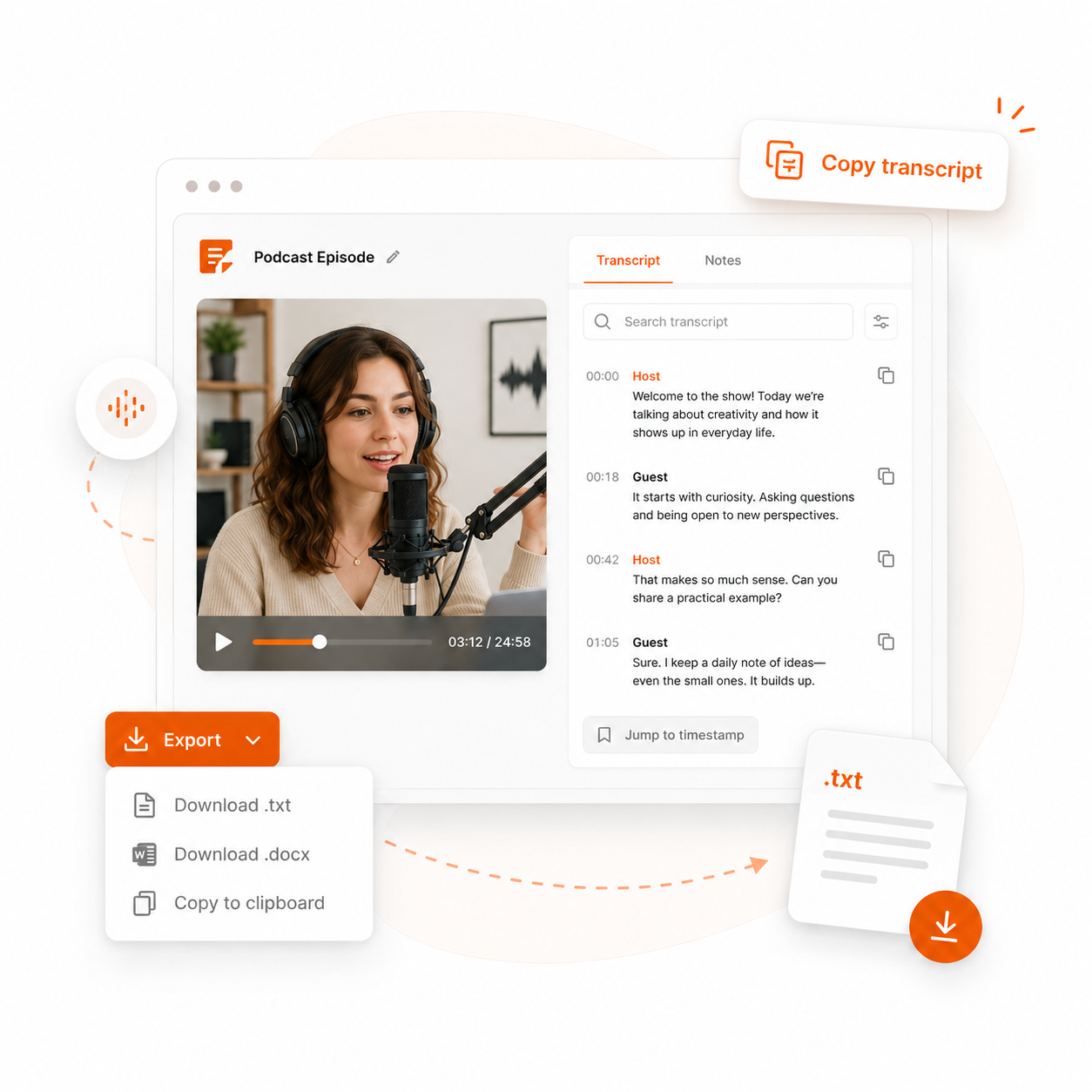
The transcript stays readable with timestamps, copy controls and a simple export path. Use it as source text before writing summaries, notes or content drafts.
- Copy the transcript exactly as shown.
- Keep timestamps visible when you need the source moment.
- Download a .txt file for documents, research or offline reading.
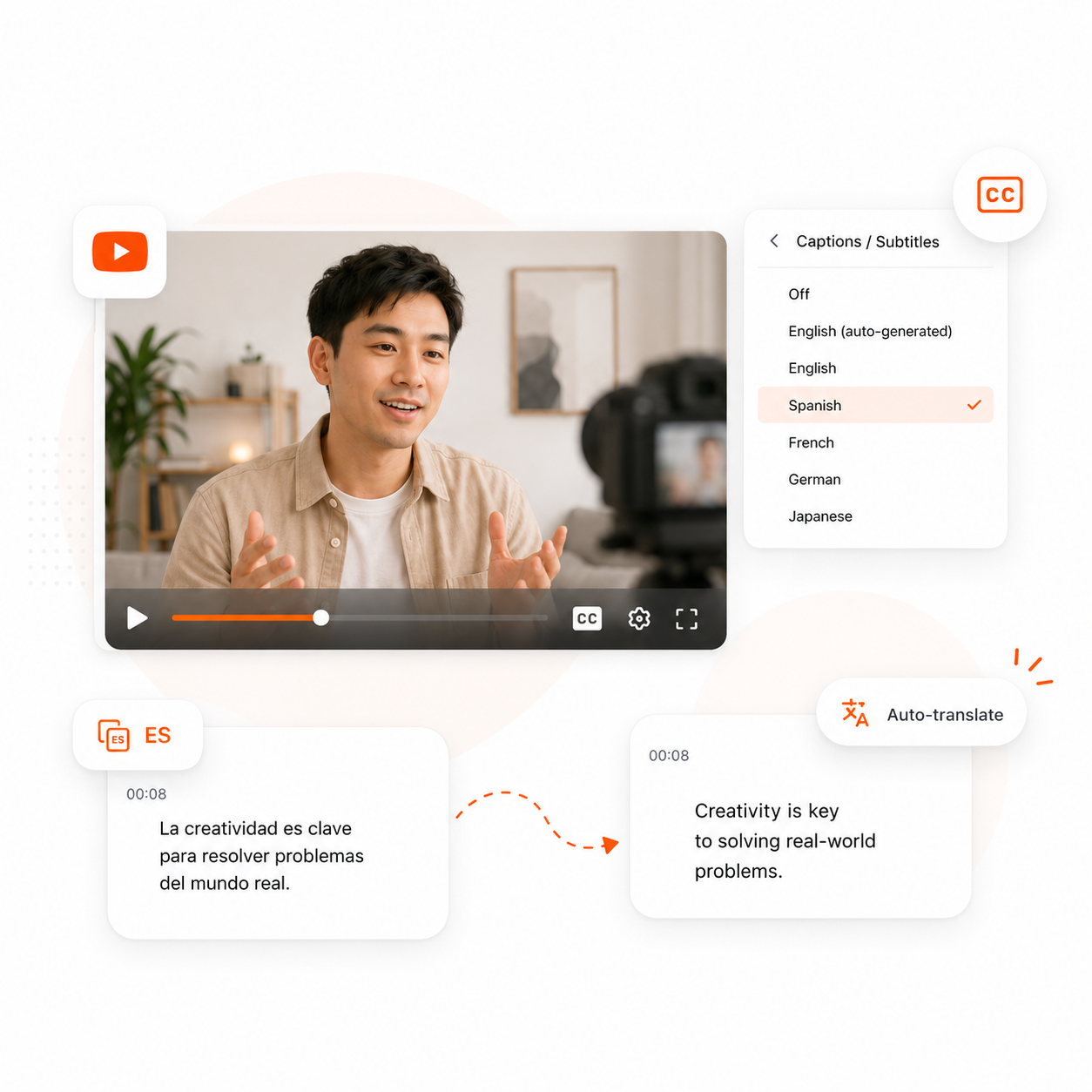
Use the caption language you need
If YouTube provides multiple caption tracks, you can switch languages. If your target language is missing but another caption track exists, Transkripe can try YouTube caption translation on demand.
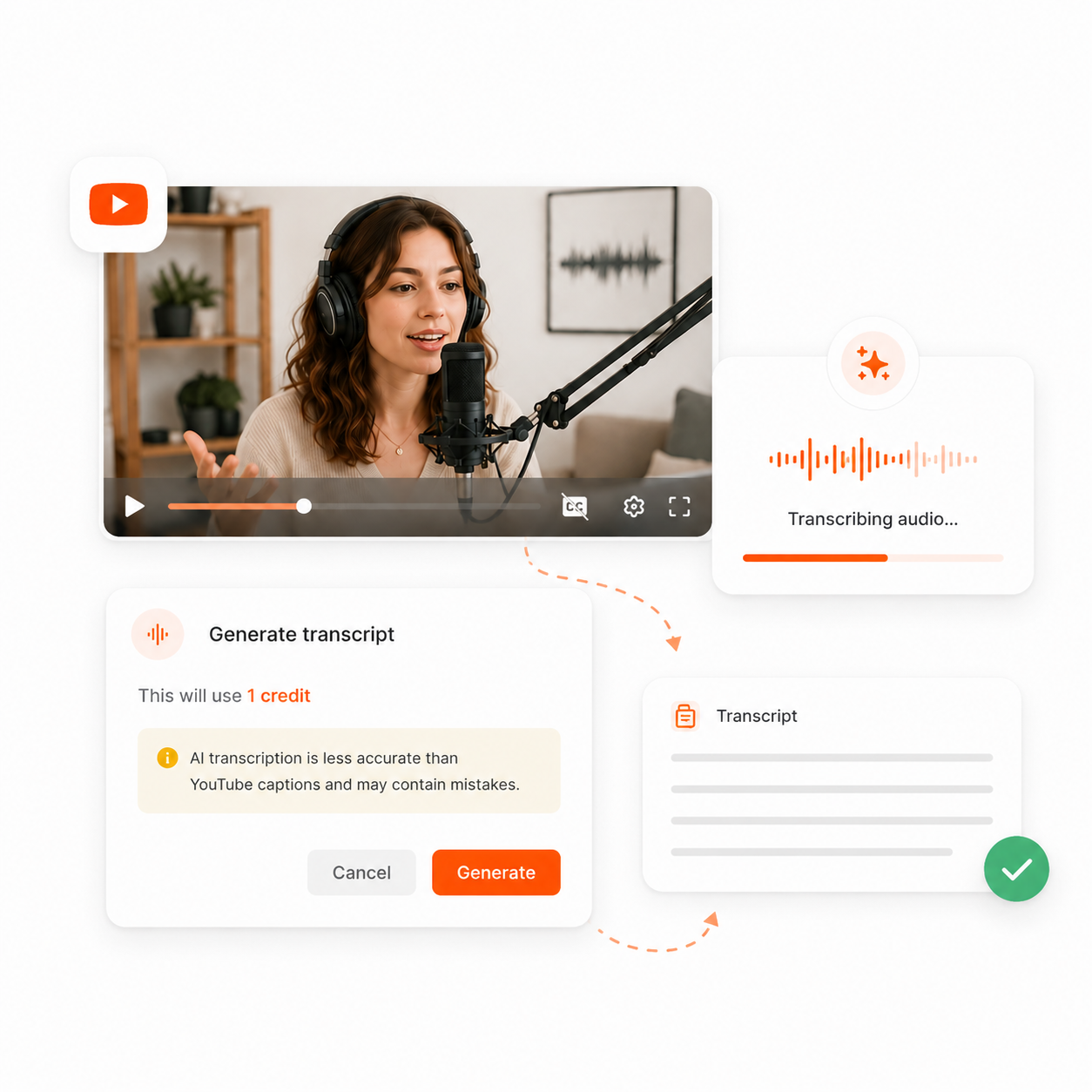
No captions? Use AI transcription when available
For videos without usable YouTube captions, Transkripe can create a transcript from the audio. This uses credits and asks for confirmation before it starts.
Captions, translation and AI transcription
Transkripe uses the fastest reliable path first: captions when available, translated captions when useful and AI transcription only when captions are missing.
YouTube captions
The video already has captions
Translated captions
Captions exist, but not in your selected language
AI transcription
The video has no usable captions
When a transcript cannot load
Some videos are blocked by access rules, not by the transcript tool. Private, removed, unavailable or age-restricted videos may fail because the source is not publicly usable.
Private video
The video is not public.
Use public linkUnavailable video
The video was removed or blocked.
Check YouTubeNo captions
No caption track exists.
Use AI transcriptionAge restricted
YouTube requires extra access confirmation.
Try another videoCreate more from the transcript
Once the transcript is ready, use it as the source for faster summaries, study notes, key points and content workflows.
Use cases
Students
Search lectures and tutorials faster than replaying the full video.
Creators
Copy accurate lines before writing captions, clips or short-form ideas.
Researchers
Check exact wording before quoting a talk, interview or panel.
Teachers
Share readable transcript text with learners who need to review a lesson.
Marketing
Turn webinars and interviews into clearer posts without losing the original meaning.
Frequently asked questions
- What is a YouTube transcript?
- A YouTube transcript is the written text of what is spoken in a video. It can come from YouTube captions, translated caption tracks or AI transcription when captions are missing.
- How do I get a transcript from a YouTube video?
- Paste a public YouTube link into Transkripe. It checks captions first and opens the transcript when a usable caption track is available.
- Can I download a YouTube transcript as .txt?
- Yes. After the transcript loads, you can copy the text or download it as a .txt file.
- What happens if the video has no captions?
- If no usable captions exist, Transkripe can offer AI audio transcription. AI transcription uses credits and requires confirmation before it starts.
- Are YouTube caption transcripts free?
- Caption-based transcript loading is free. AI transcription for videos without captions and optional AI outputs use credits.
- Does this work for private or age-restricted videos?
- Transkripe supports captions and AI audio transcription. Private, unavailable, restricted or age-restricted videos may still fail.
- Can I translate the transcript into another language?
- When a video has captions in another language, Transkripe can try YouTube caption translation on demand where available. If translation fails, try Auto or another language.
- Is Transkripe affiliated with YouTube?
- No. Transkripe is independent and is not affiliated with YouTube or Google.